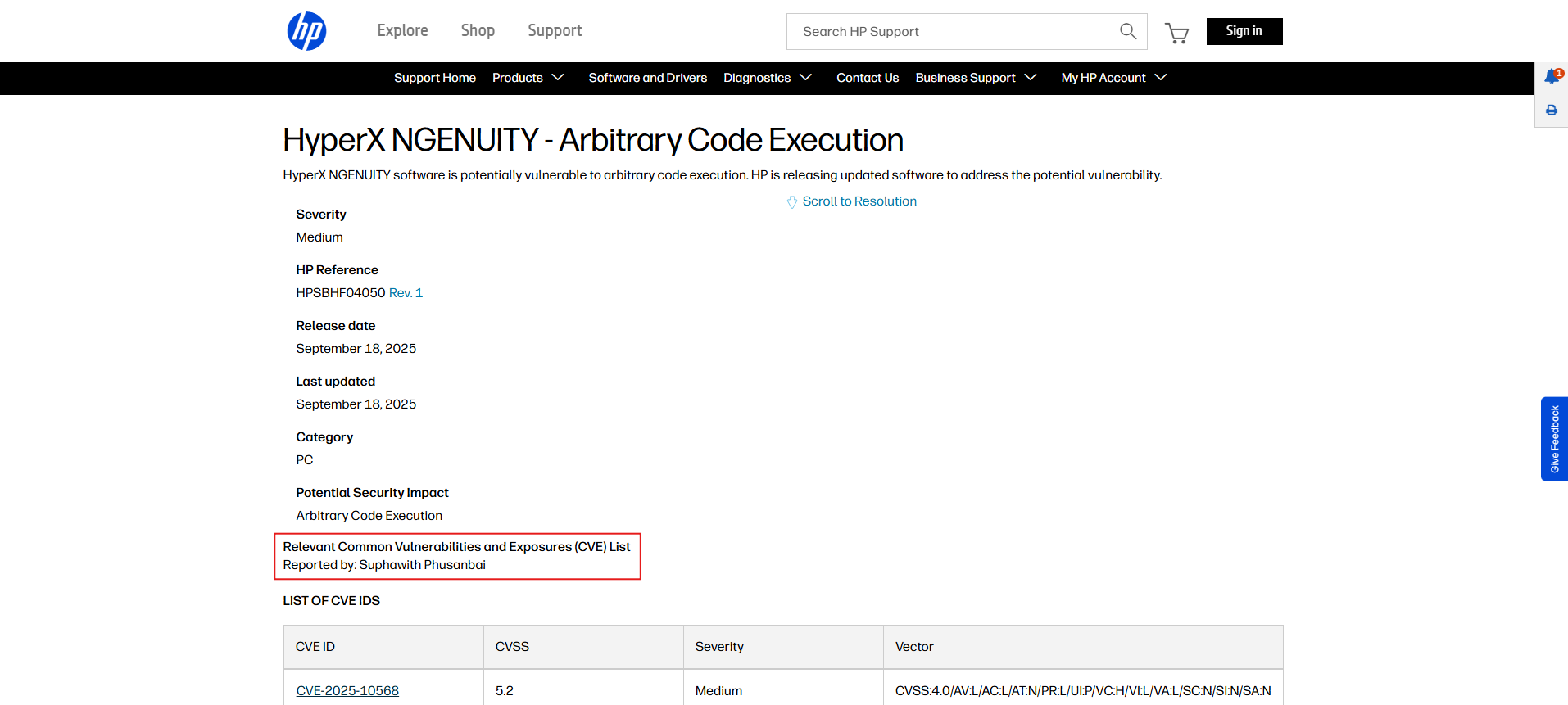
# (CVE-2025-10568) Arbitrary Code Execution in HP HyperX NGENUITY
{% hint style="info" %}
This article has been approved by HP for publication. The content on this blog is published for educational and informational purposes only.
{% endhint %}
Today I'd like to share my attack vector called path hijacking. A successful attack usually leads to arbitrary code execution. Not many sources mention it and there are few PoCs available. The concept is similar to DLL hijacking and unquoted service-path vulnerabilities, with a small twist. Hope everyone enjoys it!
## What is Path Hijacking vulnerability?
According to MITRE description -
> Adversaries may execute their own malicious payloads by hijacking environment variables used to load libraries. The PATH environment variable contains a list of directories (User and System) that the OS searches sequentially through in search of the binary that was called from a script or the command line.
To put it simply, when you install or run a program, it often depends on other binaries. For example, an updater executable might look for `powershell.exe`, which is typically located in `C:\Windows\System32`.
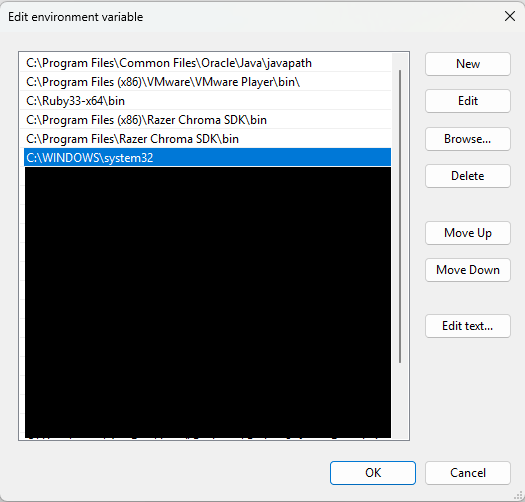
If you open Environment Variables, you could see that the folder is registered in the system path variable. This means all variables can be accessed by simply type the binary name in the PowerShell terminal e.g. `powershell`, `cmd`, `findstr`, etc.
Windows icon > Search for "Environment Variables" keyword
So, what’s the problem here? Let’s imagine a program calls powershell via the PATH environment without specifying `C:\Windows\System32\powershell`. What happens? Windows will search the PATH and run the first `powershell.exe` it finds. But if a PATH entry contains a `powershell.exe` that appears before `C:\Windows\System32`, Windows will execute that one instead. That’s why we call it path hijacking!
## Real-world scenario
As always, where's the fun if it isn't real? In this blog, I'm using [HyperX NGENUITY](https://hyperx.com/pages/ngenuity) software as a case study. I'm, of course, the researcher of this CVE.
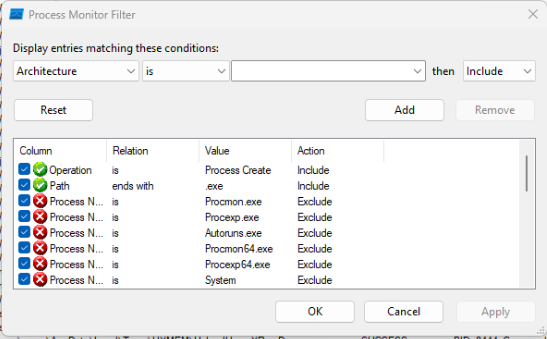
During initial testing, I ran [**Procmon**](https://learn.microsoft.com/en-us/sysinternals/downloads/procmon), a legitimate Microsoft process-monitoring tool, to analyze processes in real time. With a small filter configured, I could observe the software’s events every time a new process was launched.
ProcMon filter configuration for detecting new process launches
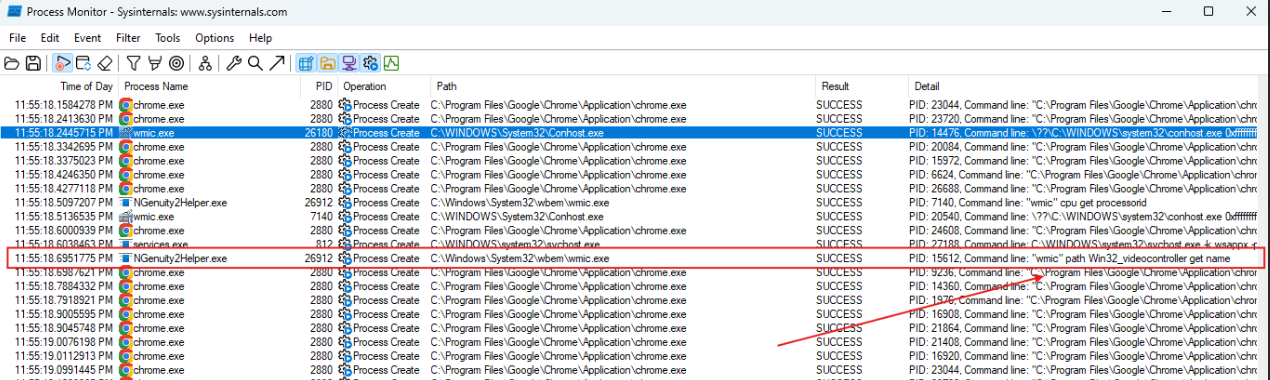
After monitoring processes for a while, I noticed **HyperX NGENUITY** service named **"NGENUITY Helper service (NGenuity2Helper.exe)"** was calling for `wmic` to run the command without specifying a WMIC full path (`C:\Windows\System32\wbem\wmic.exe`) when launching the program. Thus, this helper process is vulnerable to PATH hijacking attack.
## Exploitation
There are 2 ways to exploit this and it depends on your privileges and scenario.
1. **Low-privileged user** — Plant a malicious `wmic.exe` in a directory that appears in `PATH` before `C:\Windows\System32\wbem\`. This method requires write access to that folder.
2. **High-privileged user** — If you can modify system `PATH` variables, create a new folder, place it before `C:\Windows\System32\wbem\`, and put your malicious binary there.
For a quick demonstration, I created a reverse shell executable using . You also need to compile C file to .EXE using your favorite compiler.
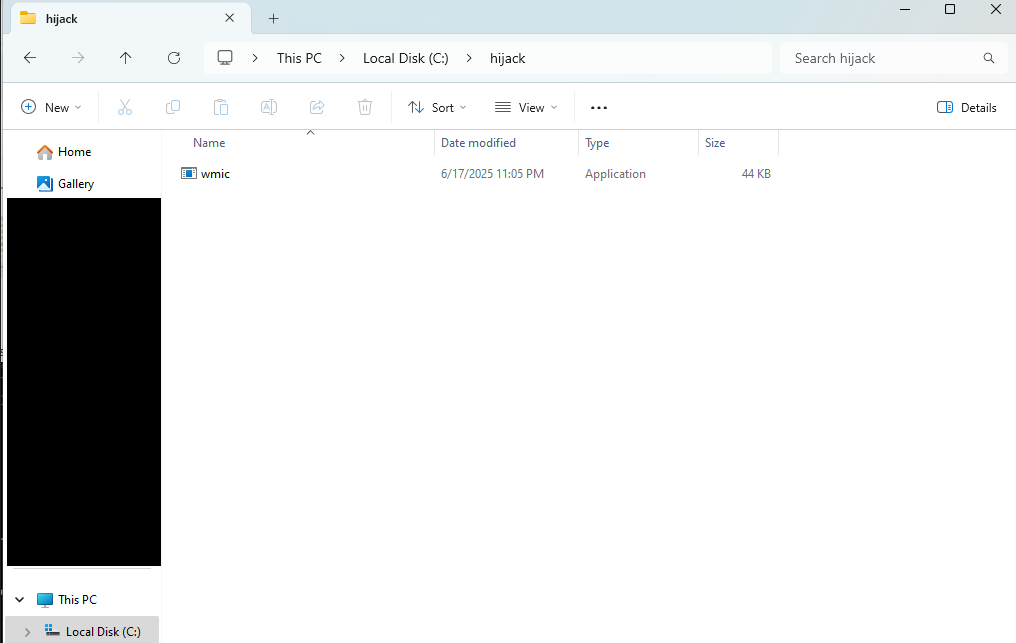
Next, I placed the malicious executable in a folder where I have write access. For this demonstration, I assumed the `hijack` folder is writable and present in the `PATH`.
Then I ran a listening port to wait for incoming connection from malicious executable file.
For the finale, open **HyperX NGENUITY** program and observe the connection was indeed sent to our listening port!
Looking at Procmon, we saw the **NGENUITY Helper** service execute a fake `wmic.exe` from our writable folder instead of `C:\Windows\System32\wbem\wmic.exe`. This proves our exploit succeeded.
## Final
After I found this vulnerability, I immediately reported it to HP’s security team via coordinated vulnerability disclosure. Not long after my first email, they reached out and everything was resolved within the agreed timeframe between the researcher and HP. As for remediation, it’s straightforward: specify the full path. By specifying the full path to `wmic.exe`, the program prevents this class of path-hijacking attacks because it will not load `wmic.exe` from other folders via the `PATH`.
HP is releasing updated software to address the potential vulnerability. Use the following steps to resolve potential vulnerabilities.
1. Uninstall any versions of **HyperX NGENUITY earlier than 5.32.0.0.**
2. Install the latest version of HyperX NGENUITY ().
So the latest version is no longer vulnerable to path hijacking.
## Disclosure Timeline
* 17 June 2025 - Reported a vulnerability to HP PSIRT
* 18 June 2025 - HP PSIRT triaged and assigned the case number
* 20 September 2025 - HP assigned a CVE and released a patched version
## Extra
If you want to report vulnerabilities in HP products to HP security team. You can follow these steps
{% stepper %}
{% step %}
**Submit a report via the below link**
{% endstep %}
{% step %}
**Follow Coordinated Vulnerability Disclosure Program instruction**
For more details -
{% endstep %}
{% step %}
**\[Optional] Send article draft to HP for review before publication**
**For those who want to publish the article:** send a draft of your article to HP for review before publishing your findings.
{% endstep %}
{% endstepper %}
.png?alt=media&token=c688e493-e5fa-4517-a251-1d3a1b8225e9)
.png?alt=media&token=7d4f1c7e-0833-4db3-a9df-3ad4b64ffeca)
.png?alt=media&token=ab1e8dc1-00bd-4783-bb44-a44b40ca8e1b)
.png?alt=media&token=cbf4a586-e799-484c-932d-d3c784c26a37)